How to Automate Jewelry Pricing on Shopify with Live Metal Rates
Jewelry pricing is not like pricing a t-shirt. A gold ring's true cost changes every day based on the spot price of gold, the purity of the metal, the weight of each piece, labour charges, and sometimes diamond or gemstone rates on top.
If you're running a Shopify store with hundreds or thousands of variants, manual updates are:
• Slow — updating 500 variants by hand takes hours
• Error-prone — fat-finger a decimal and you're selling at a loss
• Always behind — by the time you update, gold has moved again
• Unscalable — you can't grow the catalog without growing the headache
The correct solution is to express your pricing as a formula, not a fixed number. For a gold ring, that formula looks like:
Price = (metalWeight × goldSpotPrice × purity) × (1 + makingCharge%)
Once that formula is defined, every time gold moves, you just trigger one sync and every product recalculates instantly. No spreadsheets, no manual entry, no errors.
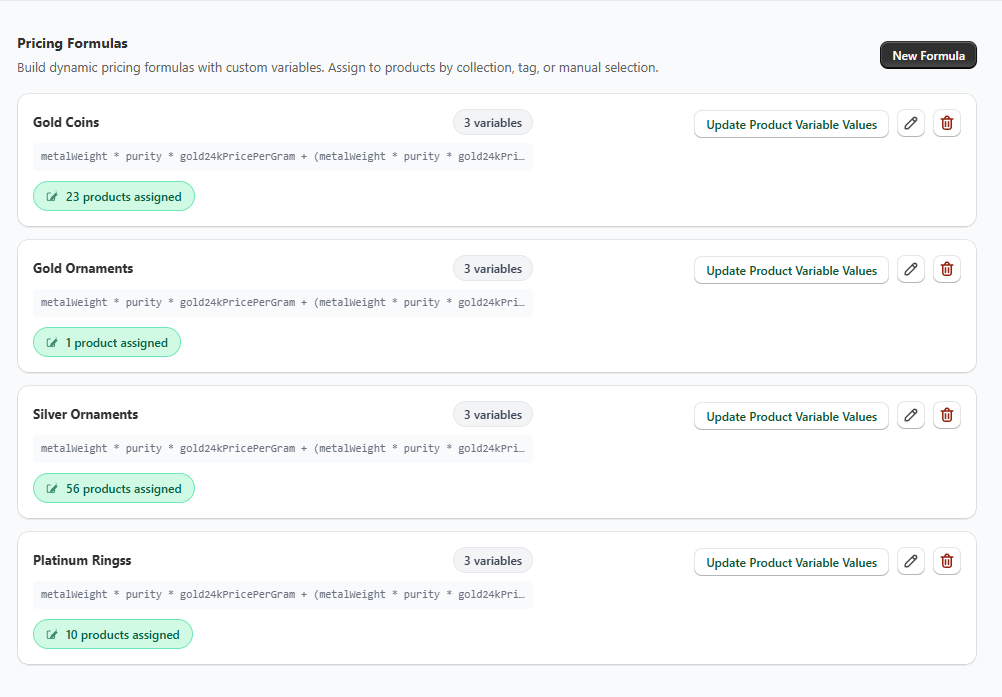
Here's how to get live metal pricing working on your Shopify store using Live Metal Bulk Price Updater:
Step 1 — Install the app
Install from the Shopify App Store and complete the onboarding. Select your store currency — this is used for exchange rate calculations.
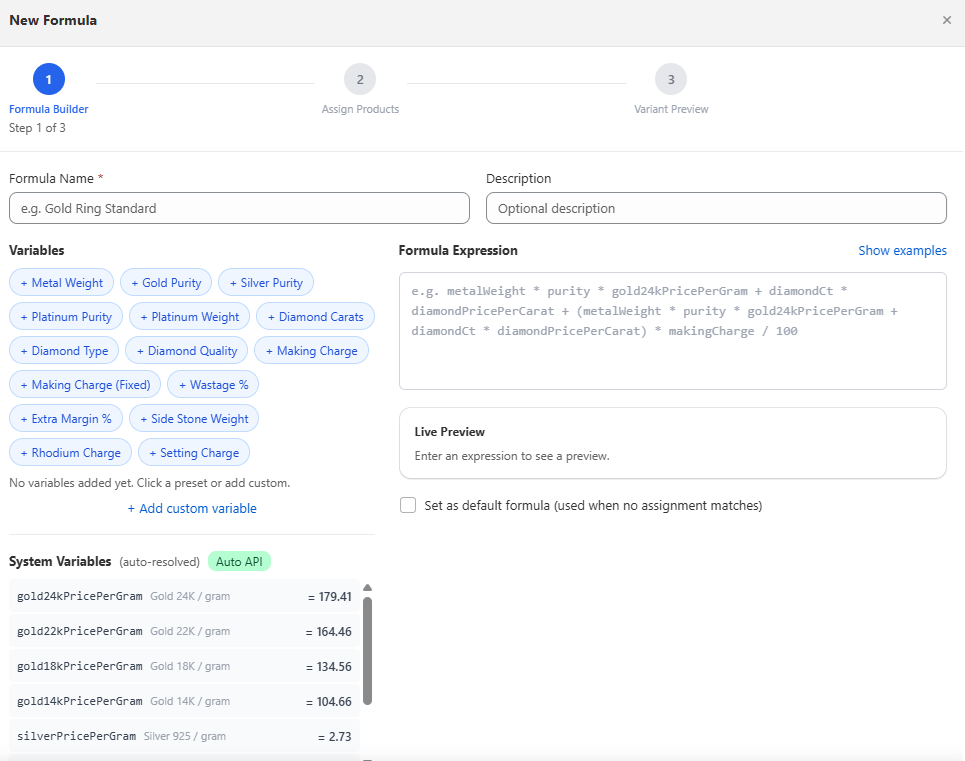
Step 2 — Build your pricing formula
Open the Formula Builder. Click to add variables: metal weight, purity, making charge %, diamond carats. Write your formula expression and see a live preview with real spot rates before saving.
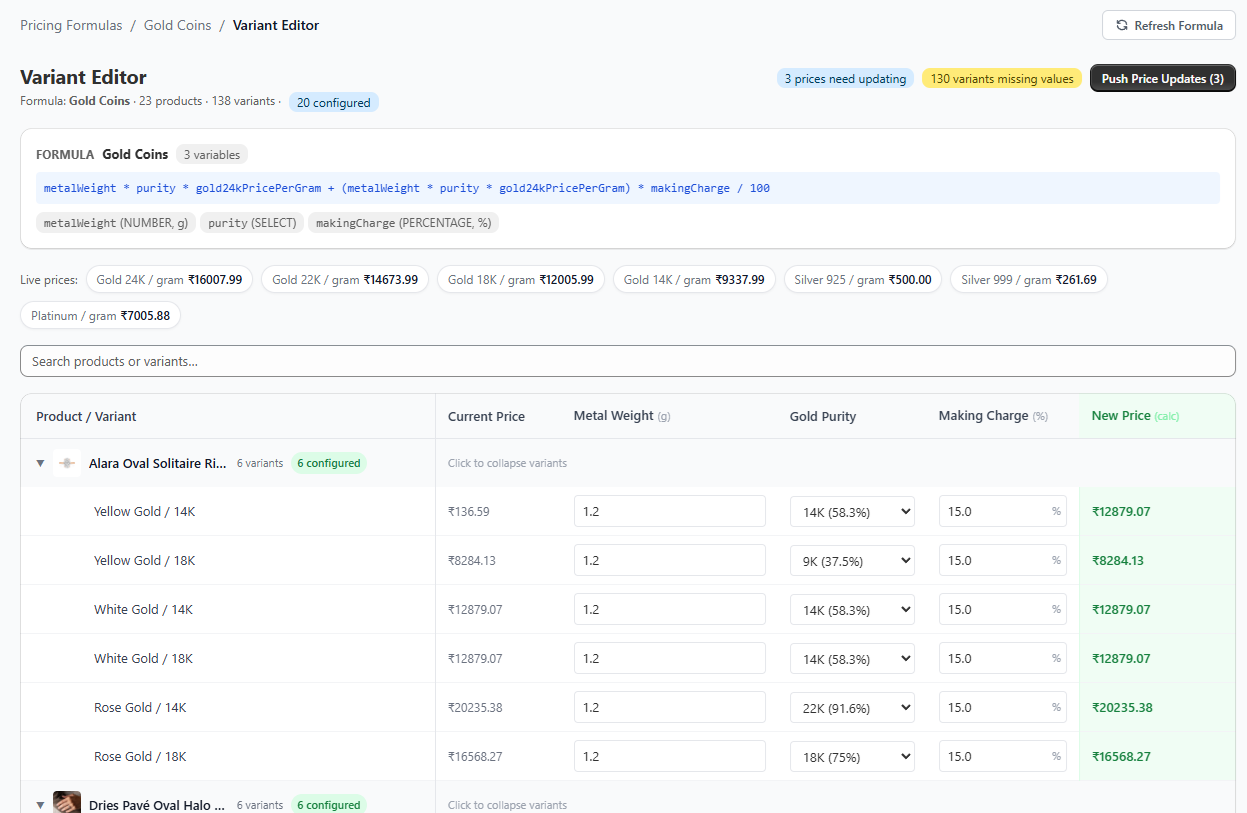
Step 3 — Enter variant data
Open the Variant Editor for each product. Enter the metal weight, purity, and making charge per variant. This takes a few minutes per product — you only do it once.
Step 4 — Preview and push
Click "Calculate Prices." The app shows you every variant's new price vs current price before you commit. Review the diff, then push in one click.
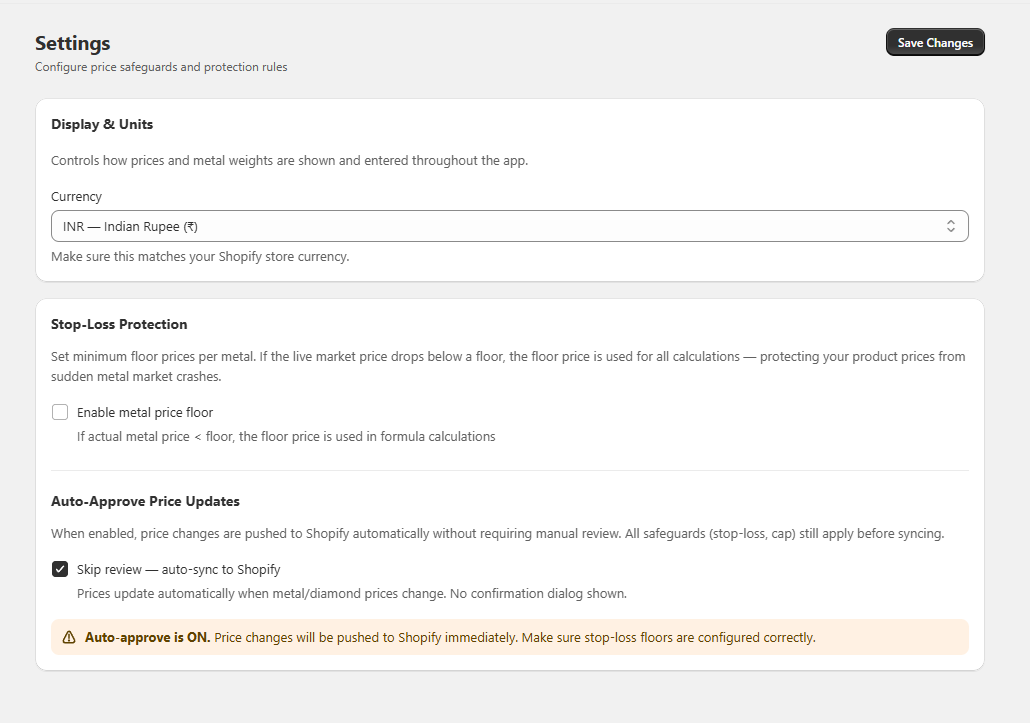
Step 5 — Enable Auto-Approve (optional)
Turn on Auto-Approve in Settings to run updates daily without manual review. Prices stay current with the market automatically.
Automation cuts both ways. If gold suddenly drops 10%, your prices drop with it — which might mean selling below cost. The fix is Stop-Loss Floor Protection.
Set a minimum acceptable price per gram (e.g., you never sell gold below ₹5,500/g regardless of spot price). If the formula calculates below that floor, the floor price is used instead. Your costs are always covered.
Combine this with Volatility Smoothing (7-day moving average) to prevent single-day market spikes from whipsawing your retail prices.
Legacy Shopify apps use the REST API to update prices one variant at a time. For a catalog of 1,000 variants, that can take 10–20 minutes per update run — and Shopify rate-limits slow it further.
Live Metal Bulk Price Updater uses Shopify's GraphQL Bulk Mutations API — the same infrastructure Shopify uses internally. The result: 1,000 variants updated in under 30 seconds. Up to 90× faster.
Live Metal Bulk Price Updater is free for 7 days — no credit card required. Works on all Shopify plans.
Install Free on Shopify →
Questions? See the FAQ or contact us directly.